Coming soon to Google Play

Know what's really in your food

Write down what you eat. EatHabit shows what's in it and how much you need each day.

Coming soon toGoogle Play
  • Free to start
  • Android first
  • iPhone later
  • English and Bulgarian

How does it work?

1

Add what you ate

Scan the barcode or search for it. With Premium, you can just take a photo.

2

See what's in it

Calories, protein, sugar, and more. With Premium, over 50 nutrients, like each vitamin and mineral.

3

See how your day is going

The app knows how much you need, so you see what's left for today.

What else can it do?

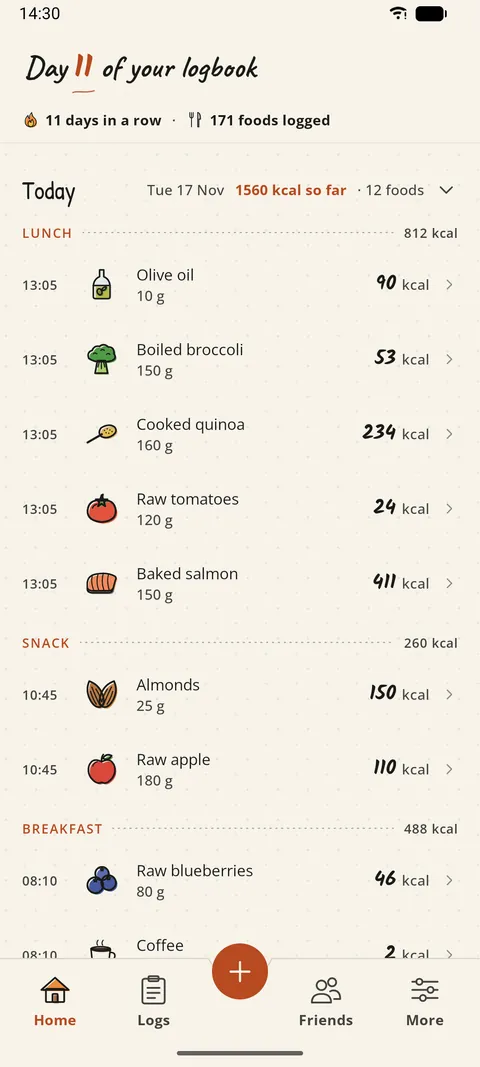
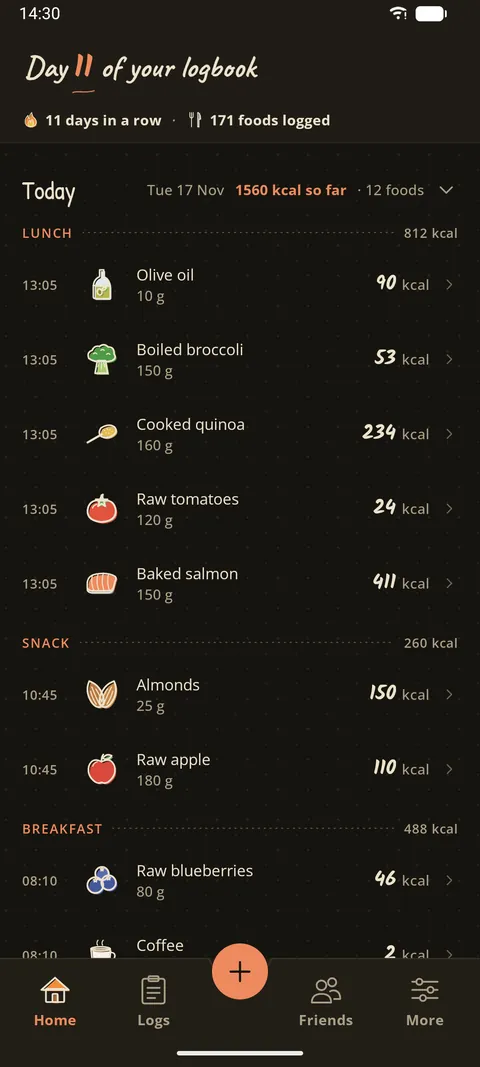
Every screen here is from the app.

Every food you add, by meal, with the time and its calories. The top shows how many days in a row you have kept it up.

Free

App screen: Your dayApp screen: Your day

What does it cost?

Free

€0Everything you need to start.

  • Add up to 40 foods a day
  • Daily amounts worked out for you
  • See calories, protein, carbs, fat, fiber, sugar, and sodium (salt)
  • Scan barcodes and search for foods
  • Recipes and a fasting timer
  • See what your friends eat
Coming soon toGoogle Play
Premium

€4.99a month

Paid through Google Play. Cancel any time.

Everything in Free, plus:

  • Add food with a photo or a sentence
  • Over 50 nutrients, like each vitamin and mineral
  • Up to 80 foods a day
  • See how your food helps your heart, bones, or sleep
  • Compare your days with friends
  • Track your weight and set a goal
  • PDF reports for your doctor or coach

Can I trust it?

It's not a doctor

The numbers are general guidance, not medical advice. For decisions about your health, talk to a professional.

No ads, and your data is never sold

Your diary is for you, and for the friends you choose to share it with.

Delete your account any time

Right in the app, in a few taps.

Questions

When can I get it?

Soon. It comes to Google Play first, and the iPhone version comes later.

Do I need an account?

Yes. Your diary is saved to your account, so you don't lose it if you lose your phone.

Which languages does it speak?

English and Bulgarian.

Can I get my data out?

Yes. With Premium you can save reports as PDF files. On any plan, email support@eathabitapp.com and we'll send you a full copy.

How do I delete my account?

In the app, tap More, then Settings, then Delete account. Your account and your diary are deleted for good. The Support page has the details.